


HappyLighting
3.32.04K Reviews
App Specs
- Version
- 1.6.51
- Updated On
- License
- Free
- Downloads
- 5,000,000+
- Developer
- qh-tek
- Categories
- Personalization
- Platform
- Android, iOS
Screenshots
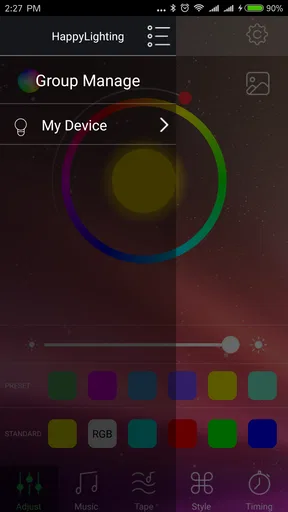
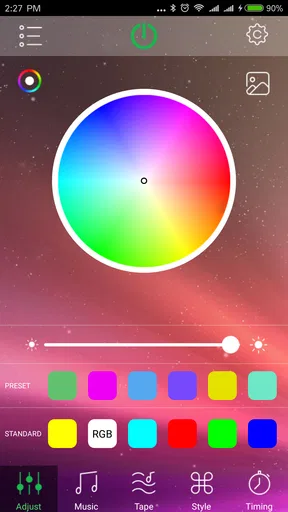
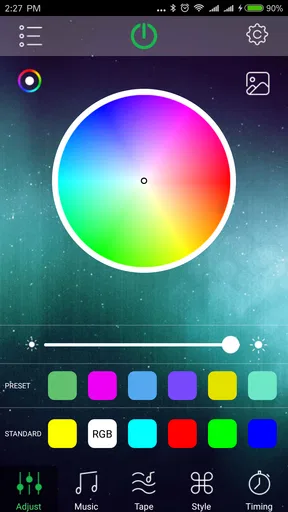
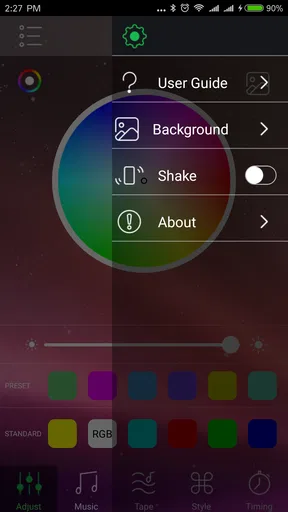
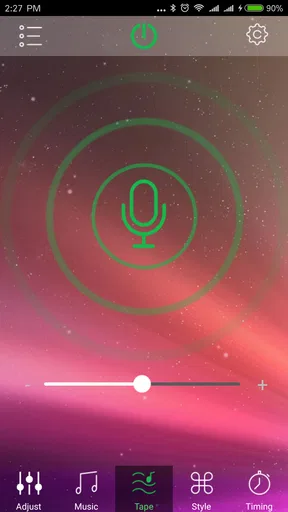
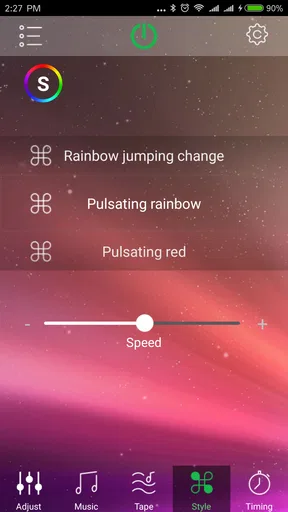
 Analysis by AppCompare
HappyLighting is best understood as a practical remote for compatible Bluetooth lamps, not as a complete smart-home system. I like the idea of changing a room’s color and brightness from the sofa, and the app’s appeal is easy to grasp: it puts hands-on lighting controls in a phone. The trade-off is just as important: the experience depends on a nearby lamp that works with it, and Bluetooth is less convenient than controlling lights over a home network.
What this kind of control is good for
A phone control is most useful when the lamp is awkward to reach or when you want to adjust the room without interrupting what you are doing. I can see using it to soften a bright corner before settling down with a book, or to switch to a more colorful look when friends come over. The key benefit is immediate, local control—not a promise that every bulb in the home will work together.
That distinction matters when choosing a lighting app. A lamp’s physical switch is dependable, but it can only offer the controls built into the lamp. A broader smart-home platform may coordinate devices from different brands, but it can bring extra setup and depend on a network or hub. HappyLighting sits closer to a dedicated accessory remote: appealing when its Bluetooth lamp is the main thing you want to control, less compelling if you expect one app to manage a whole home.
Before you rely on it every day
I would check that the lamp is actually compatible before planning a room around the app. Bluetooth control is tied to proximity, so it makes more sense for a bedroom, desk area, or living room lamp than for managing lights across a large home from anywhere. If you want to change a light while you are away, or coordinate several rooms from one place, a network-based system is likely a better fit.
It is also worth deciding what you want the app to do most. Color changes and mood settings are fun, but someone who mainly needs a dependable way to turn a light on and off may not get much value from extra atmosphere controls. Conversely, if a plain white bulb is all you need, a regular lamp switch can be simpler and avoids adding a phone to an everyday task.
A useful routine, with a practical caveat
Picture getting home after work, dropping your bag, and wanting the room to feel calmer without walking over to the lamp. A saved setting or scene can make that change quicker than adjusting color and brightness from scratch. Later, a timer can help fit the lamp into a bedtime routine. The useful habit is to keep a small number of settings for real situations—reading, relaxing, or having people over—rather than making a long catalogue you will rarely browse.
For reliability, I would treat Bluetooth as a nearby control rather than assume it will behave like a remote-access service. If the phone is out of range or the connection is being temperamental, the app may not be the fastest way to make a change. Keeping the phone and lamp within a sensible distance, and leaving a simple manual way to operate the light, makes the setup less frustrating when you just need illumination.
Worth Reading Before You Choose

EA SPORTS FC Mobile 26 Is a Bigger Football Game, but It Takes Time

Flipboard Shows What News Apps Must Do Beyond the Feed

Switching to Android Auto Means Rethinking Your Driving Routine

Google Calendar Makes a Crowded Week Easier to Manage

Ludo King Makes the Most of the Minutes Between Plans

Baby Panda World Brings Quick Play to Modern Phones, but Its Game Library Feels Busy
Who is likely to enjoy it
This is a better match for someone who already owns a compatible Bluetooth lamp and wants easy color, brightness, or mood adjustments without building a more elaborate smart-home setup. It may also suit a renter or anyone who wants to experiment with room atmosphere using one lamp at a time. The low commitment helps: the app is free, and its Everyone age rating makes it suitable for a general audience.
I would steer away from it if your priority is controlling lights remotely, linking a mix of brands, or automating an entire home around one central system. It is also not an obvious choice if you dislike managing lighting from a phone or expect a Bluetooth accessory to respond perfectly from every corner of a room. In those situations, a physical controller or a system designed for wider network control may be the more dependable option.
How it fits among lighting apps
Personalization apps often promise a lot of visual choice, but the useful question is whether that choice makes an everyday task easier. Here, the focus is on shaping the output of a compatible lamp rather than organizing a broad collection of home devices. That narrower role can be a strength: there is less to learn if all you want is to pick a color or adjust a scene. It is a limitation if you are looking for device-wide routines or a single control center for many accessories.
One small but helpful approach is to decide on a default setting you can return to after trying more vivid colors or music effects. Bright, saturated lighting can be entertaining for a short session, but a comfortable everyday setup usually needs to work for the room’s actual purpose. I would test a few shades at the time of day you expect to use them; the same color can feel quite different when you are reading, winding down, or hosting guests.
HappyLighting is free, comes from qh-tek, and is a personalization app for Android. Its average is 3.4 from around 15,000 ratings, with roughly 2,000 written reviews and more than 5 million installs. Those figures suggest a substantial audience, though they do not tell me whether the app will pair smoothly with a particular lamp; compatibility and Bluetooth behavior are more relevant to that decision.
The app first appeared on August 30, 2018, and its current version is 1.6.48, with Android 4.3 as the minimum operating-system requirement. For someone considering an older phone, that minimum is useful context, but I would still make sure the device and lamp can work together before depending on the setup.
Setting the Mood with HappyLighting
Alright, let’s dive into the juicy bits. HappyLighting is an app designed to control LED lights via Bluetooth. Imagine sitting on your couch and transforming your living room into a disco, a cozy reading nook, or a romantic setting with just a few taps on your phone. Pretty cool, right?
Easy Peasy Setup
First things first, getting started with HappyLighting is a breeze. I downloaded the app from the App Store (it’s available on Android too), and within minutes, it was up and running. You just need to connect your phone to the LED lights via Bluetooth, and you’re good to go. The interface is super user-friendly, and even if you’re not tech-savvy, you’ll have no trouble navigating through the options.
A Rainbow of Options
One of the things I love about this app is the sheer variety of color options. You can choose from a pre-set palette or dive into the custom color wheel to create your unique shade. Whether you’re feeling blue or want to brighten up your space with some sunny yellow, the app has got you covered.
Rhythm and Beats
Here’s where it gets even more fun. HappyLighting includes a music sync feature. Yep, you heard that right. Your lights can dance to the beat of your favorite tunes. I gave it a whirl during a mini dance party at home, and it was like bringing the club vibes straight to my living room. The lights pulsate in time with the music, making for a pretty immersive experience.
Set It and Forget It
Another handy feature is the timer setting. You can schedule your lights to turn on or off at specific times. Say you want to wake up to a gentle sunrise effect or need the lights to dim as you wind down for sleep—it’s all possible with a few taps. It’s like having a personal lighting assistant.
Customization Galore
The app also allows for some nifty customizations. You can save your favorite settings, create scenes for different moods, and even adjust the brightness and saturation levels. Whether you’re hosting a dinner party or just chilling with a book, you can tailor the lighting to match your vibe.
What’s the Catch?
No app is perfect, and HappyLighting does have a few quirks. The Bluetooth connection can be a bit finicky at times, especially if you’re moving around a lot. I found that staying within a reasonable range of the lights helps maintain a solid connection. Also, while the app is free, there are some ads. They’re not too intrusive, but it’s something to keep in mind.
Final Thoughts
Overall, I’d say HappyLighting is a solid choice if you’re looking to add some flair to your home lighting. It’s easy to use, packed with features, and gives you a ton of creative freedom with your lighting setup. Sure, it has its minor hiccups, but for the price tag (free!), it’s hard to beat. So, if you’re ready to light up your life, give HappyLighting a spin. You might just find it’s the missing piece to your home’s ambiance puzzle.
Pros
- User-friendly interface makes navigation easy.
- Wide variety of lighting effects available.
- Compatible with multiple smart devices.
- Customizable schedules for automation.
- Supports voice control via smart assistants.
Cons
- Requires stable internet for optimal performance.
- Some features locked behind a paywall.
- Occasional connectivity issues reported.
- Limited support for older device models.
- In-app ads can be intrusive at times.
FAQs for HappyLighting
What is HappyLighting and what can I use it for?
HappyLighting is a versatile app designed to enhance your smart lighting experience. It allows you to control LED lights, adjust colors, set timers, and sync lighting effects with music. Whether you're hosting a party or setting a calming ambiance, HappyLighting offers a range of features to suit your mood and environment.
How do I connect HappyLighting to my smart LED lights?
To connect HappyLighting to your smart LED lights, ensure Bluetooth is enabled on your device. Open the app and it will automatically search for compatible lights nearby. Once detected, simply select the lights you wish to control. Make sure your lights are within range and powered on for a seamless connection.
Is HappyLighting compatible with all smart lighting brands?
HappyLighting primarily supports Bluetooth-enabled LED lights and may not be compatible with all brands, especially those requiring Wi-Fi connections or specific brand apps. It’s advisable to check the app’s compatibility list or consult the manufacturer's specifications to ensure your lights are supported before downloading.
Does HappyLighting consume a lot of battery power when in use?
While HappyLighting does utilize Bluetooth technology, its impact on battery life is generally minimal. However, frequent use of features like music syncing and real-time color changes may increase battery consumption. It’s suggested to monitor your device’s battery usage and close the app when not in active use to conserve power.
Are there any in-app purchases or ads in HappyLighting?
HappyLighting is free to download and use, but it may offer in-app purchases for enhanced features or premium content. The app might also contain ads to support its development. Users can typically remove ads or unlock additional features through optional purchases, enhancing the overall user experience.


